Updating Meta’s developer docs for new AI ad product
Overview
I was on a Facebook team focused on improving lead ad quality for advertisers. I came in halfway through a major redesign of a manual CRM integration flow for a new AI ad product.
A number of articles on Facebook’s Business Help Center and Meta’s Developer Docs websites had to be updated and also written from scratch to walk users through the redesigned flow.
I worked with the Business Solutions Engineer, Product Manager, and others to write and edit multiple documents so users could have a clear understanding of how to manually integrate their CRM.
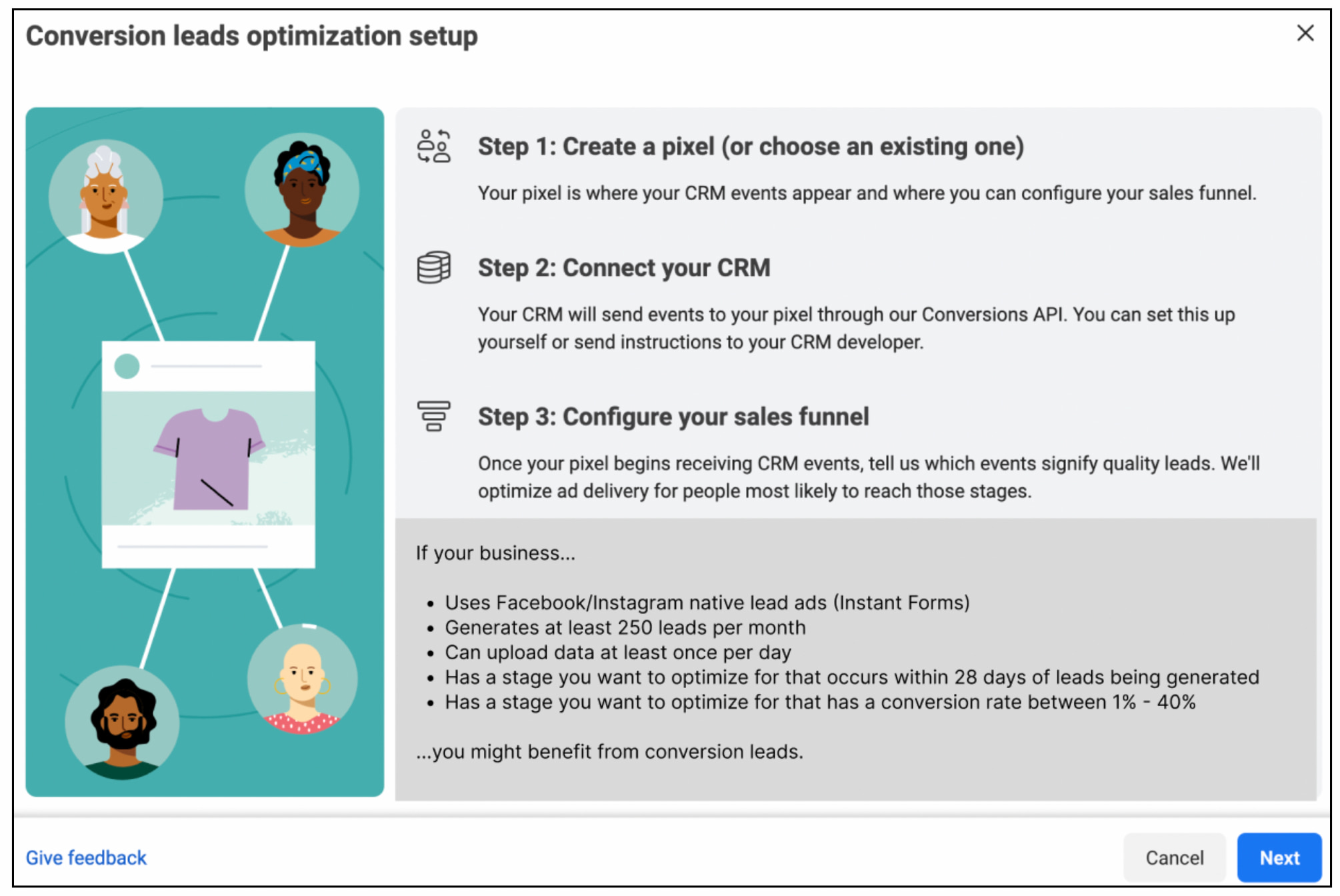
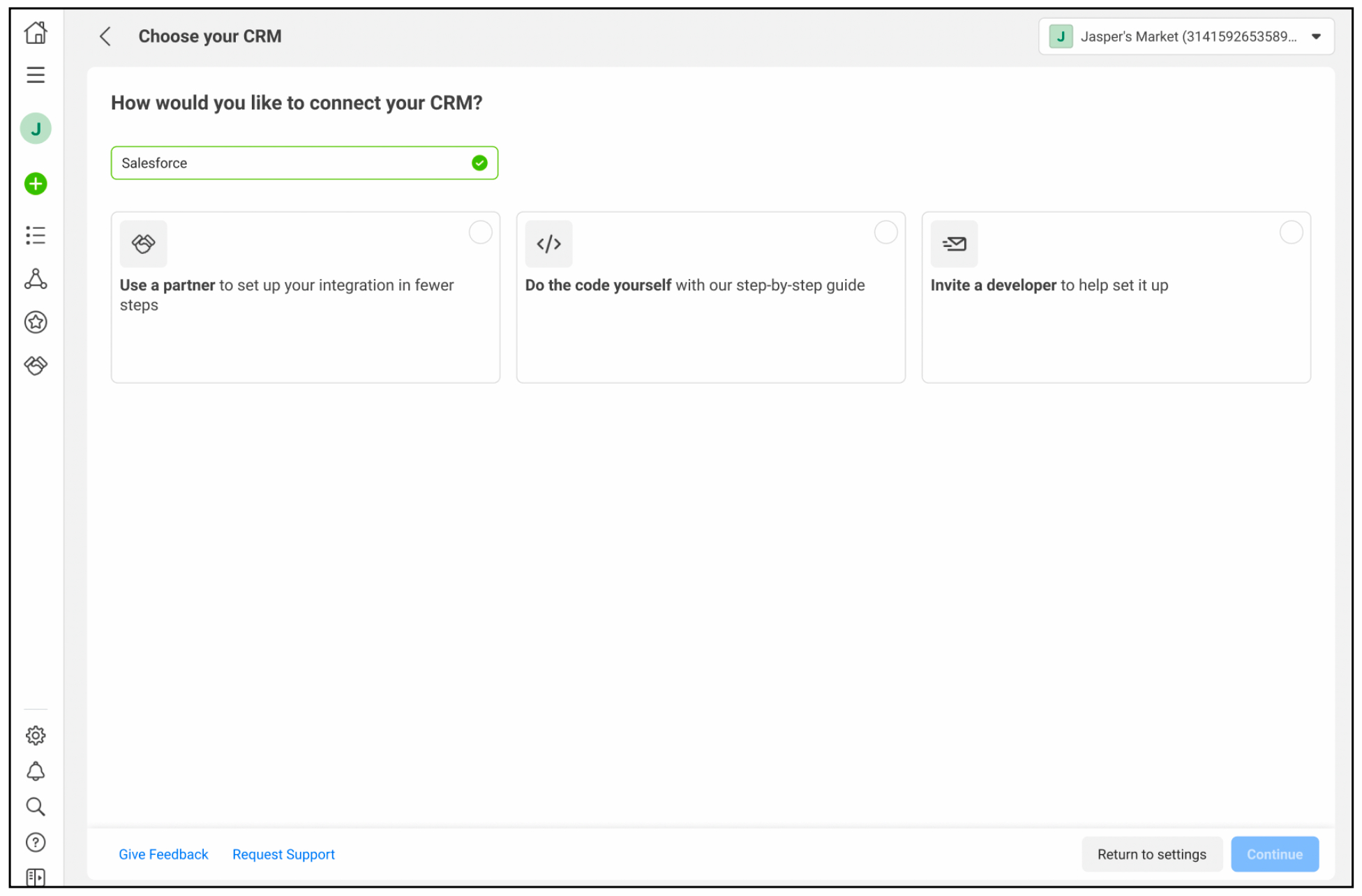
The developer docs helped guide users through the process of connecting their company’s CRM to Meta.
What I did
- The first thing I do with a big project like this is seek to understand. Get the scope. When is everything due? Who are the subject matter experts I should meet with so I can get up to speed as soon as possible? How many articles do we need to update and where are they all? How much work is needed to rewrite them? What condition are they in? All these questions and more!
- Once I got a handle on the scope and people to talk to, I audited all external and internal documentation, including Marketing material which can be useful to see how the product is being explained and sold to users. I also set up meetings with key collaborators. Created lists of terms and areas that are unclear in the articles. Found user research that could help me understand what pain points people have.
- I also prioritized the articles by “most viewed” so we can make sure to give the most love to the articles that the most people use.
- I also of course learned all the technical process so that I can explain it in an accurate and plain way.
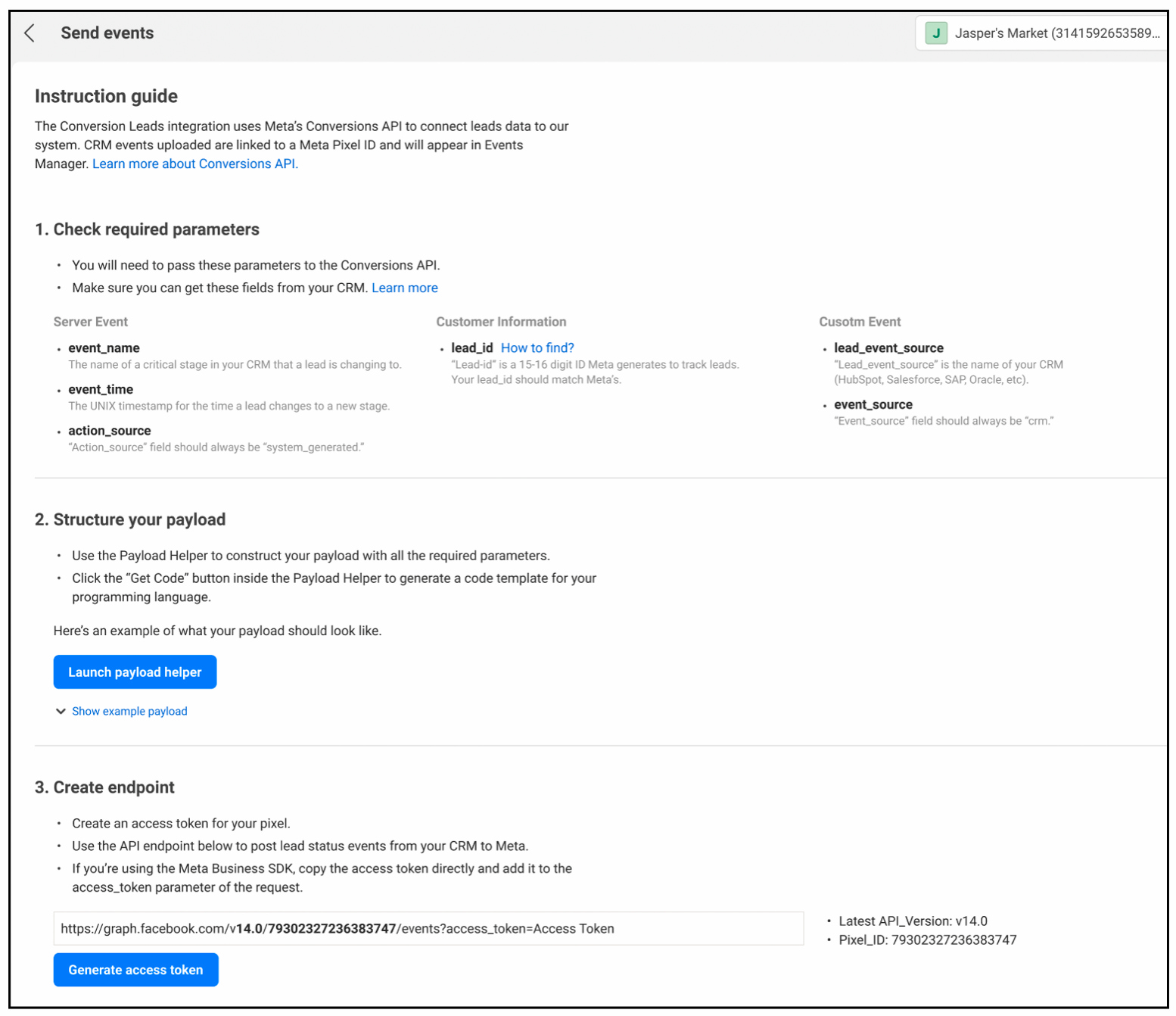
I also had to work with the team to decide how much guidance to give in-product versus when to send them to the help docs. My rationale for how to approach this was that if the instruction could be simplified and shortened to a few bullets (seen above), leave it in-product. If it required more steps, send them to a longer doc.
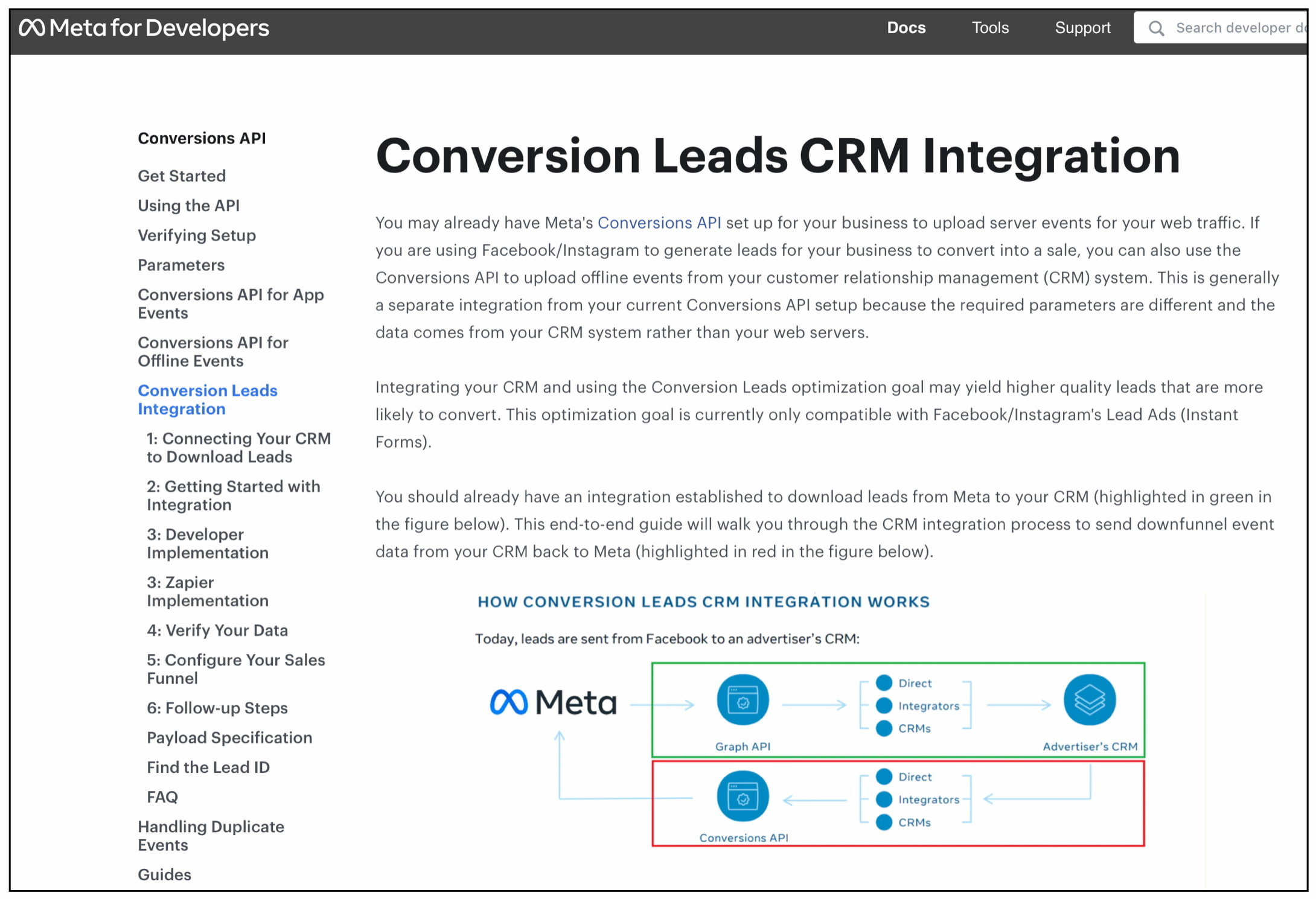
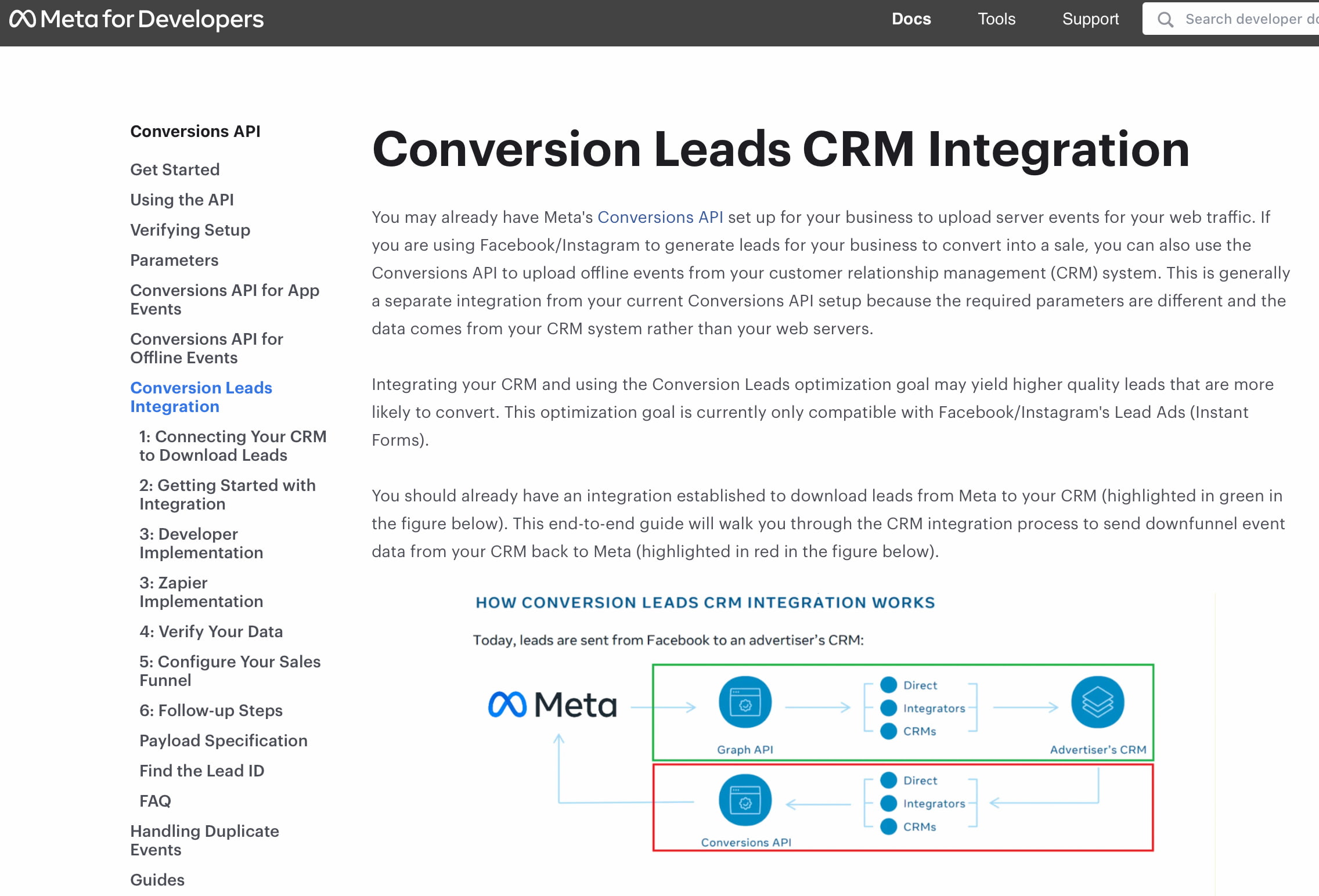
Getting the documentation right was crucial since lack of documentation was one of the biggest pain points from user testing (users being developers). This is the final article that matches the exact new redesigned user flow and uses diagrams to explain it as simply as possible.
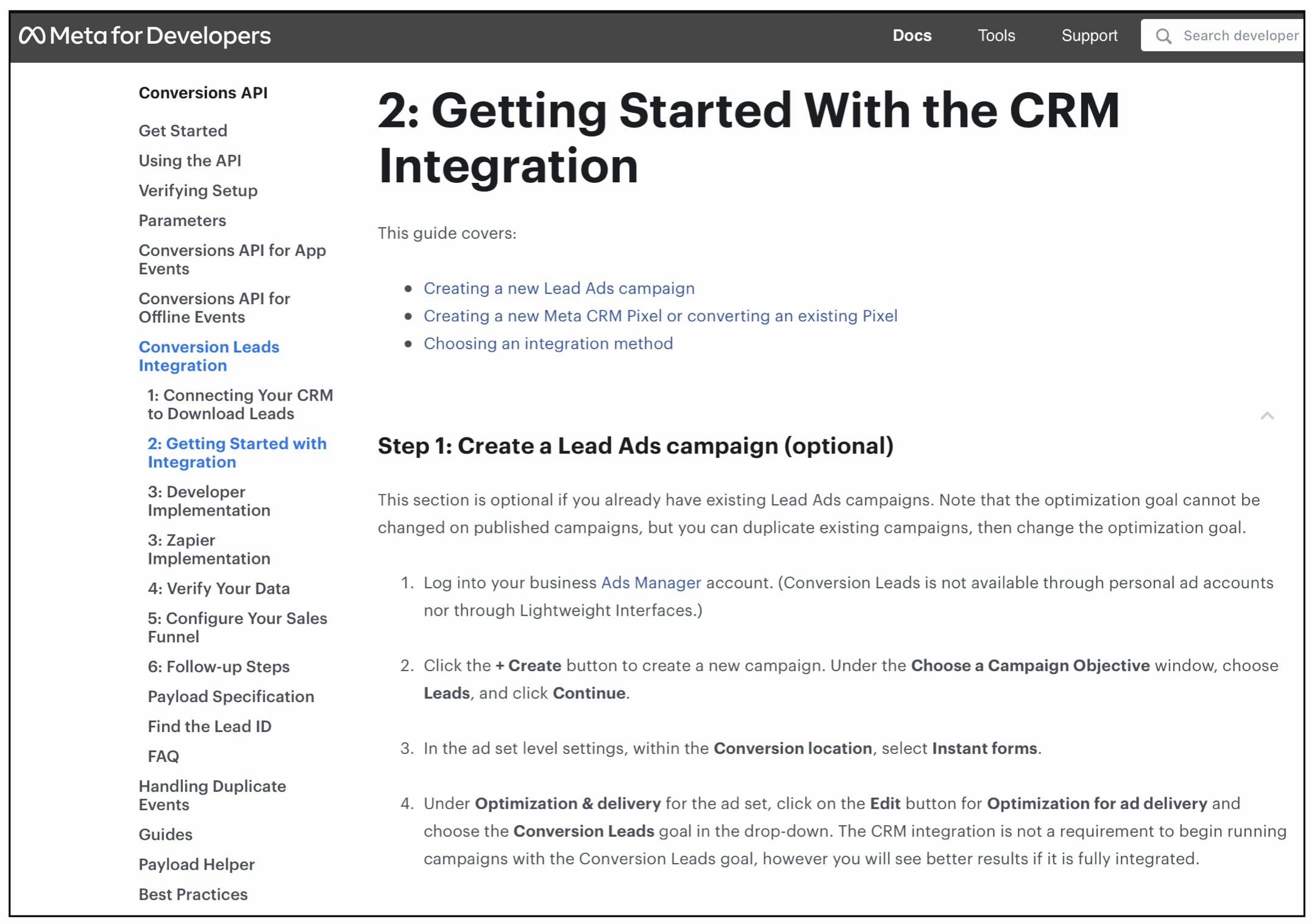
Another final article. Bullet points at the top explain exactly what’s in this guide. “Step 1” language makes it clear they’re starting in the right spot and the numbered steps to the left allows them to pick up where they left off if they have to break off. Bold text makes it clear when we are referring to UI elements in the flow.
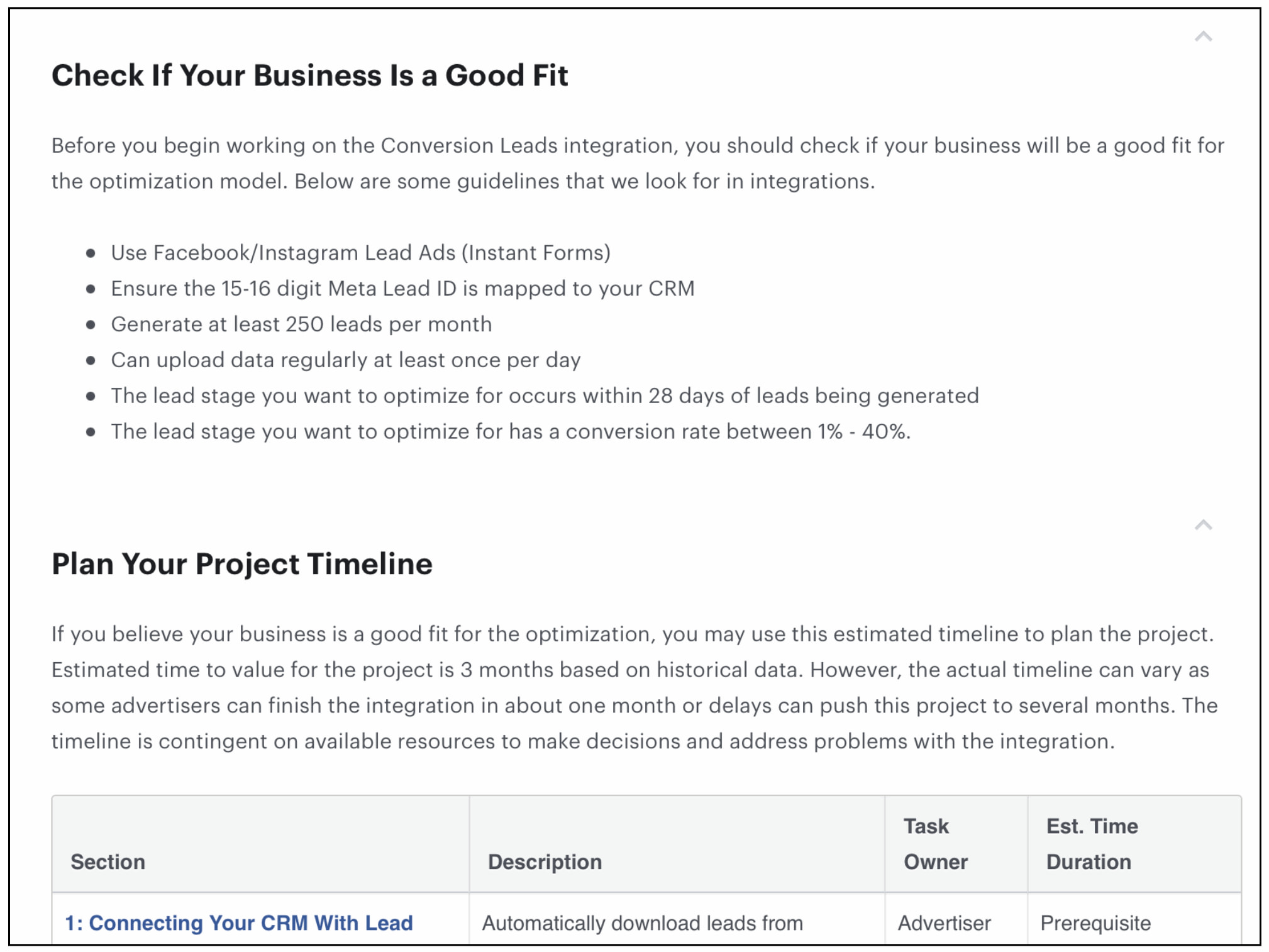
A big pain point in user testing was that some advertisers would not be a good fit for this new AI product. But they did not know it so were starting the integration and wasting time only to find out later it wasn't worth it. So I made it easy for advertisers to see if this was a good fit for their business with bullet points for scanning and a clear headline to grab their attention.
Challenges
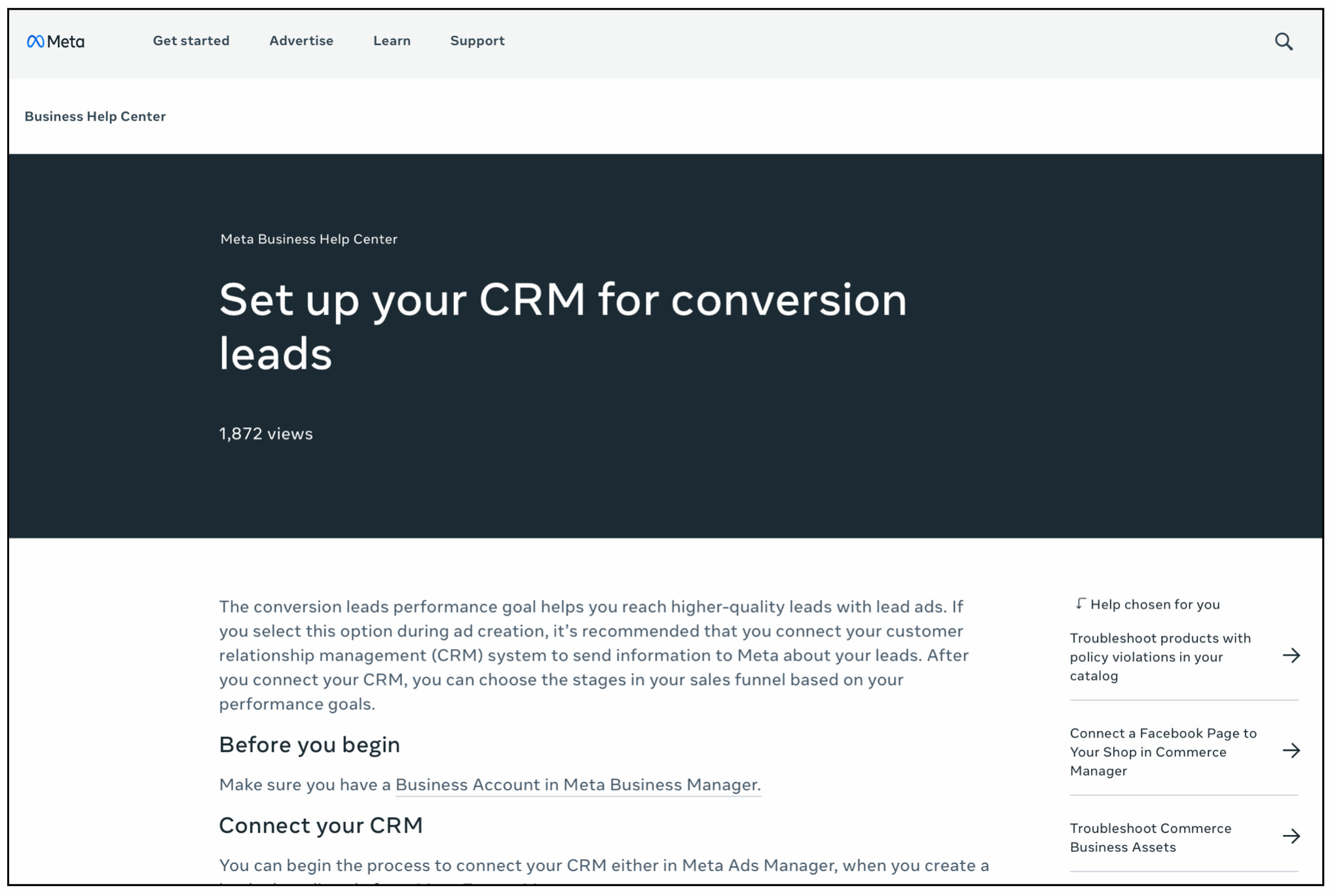
Another challenge I faced was that there were multiple different places the articles were located across Meta’s help center. After I met with other teams, I discovered other places that needed updating that were not in scope. Besides the “Meta for Developers” main site, there was another site “Meta Business Help Center” that also needed updating. This is an example of the final article in the Business Help Center that I updated to match the other guides that were updated.
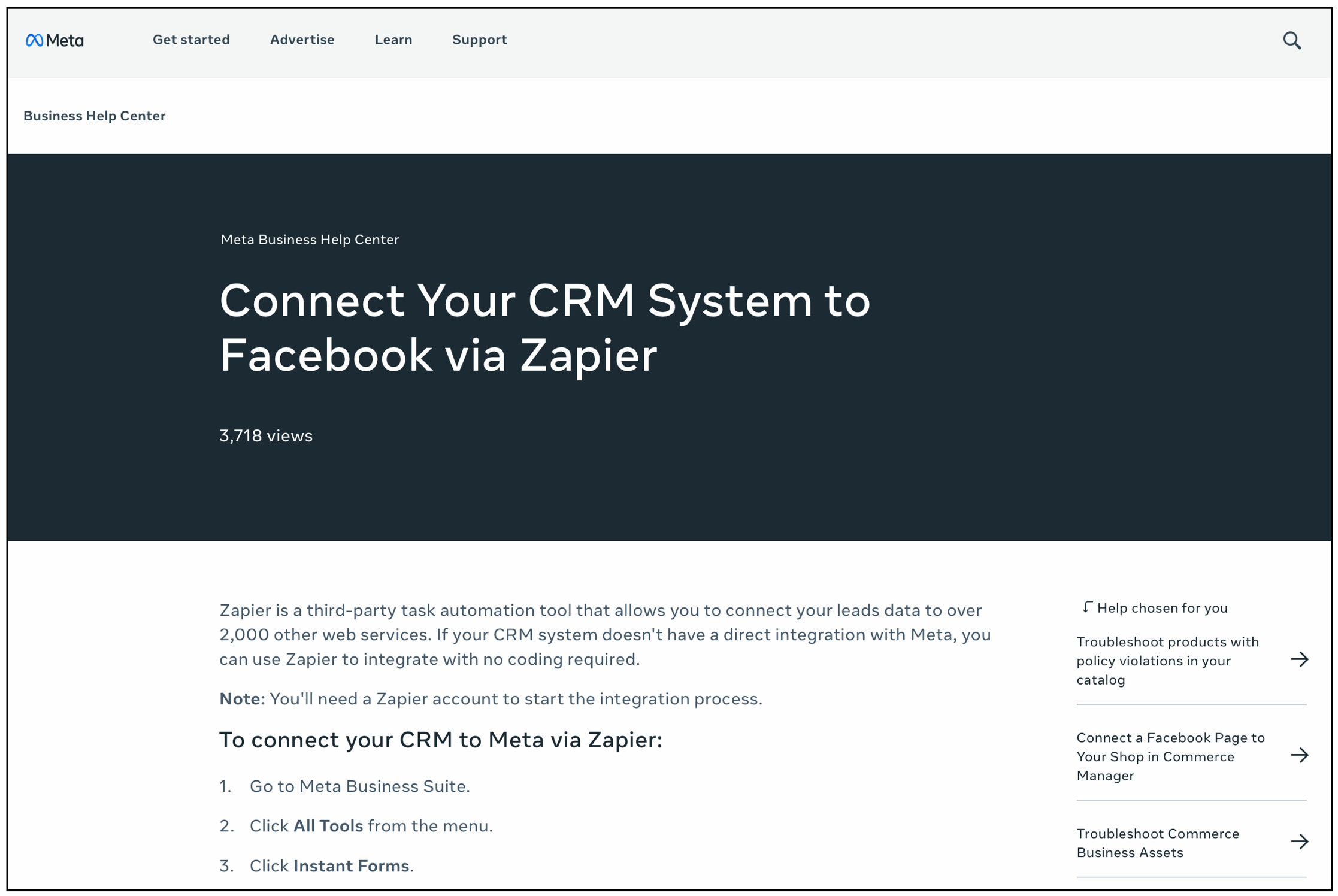
Another final article explaining how to connect the CRM through a third-party like Zapier.
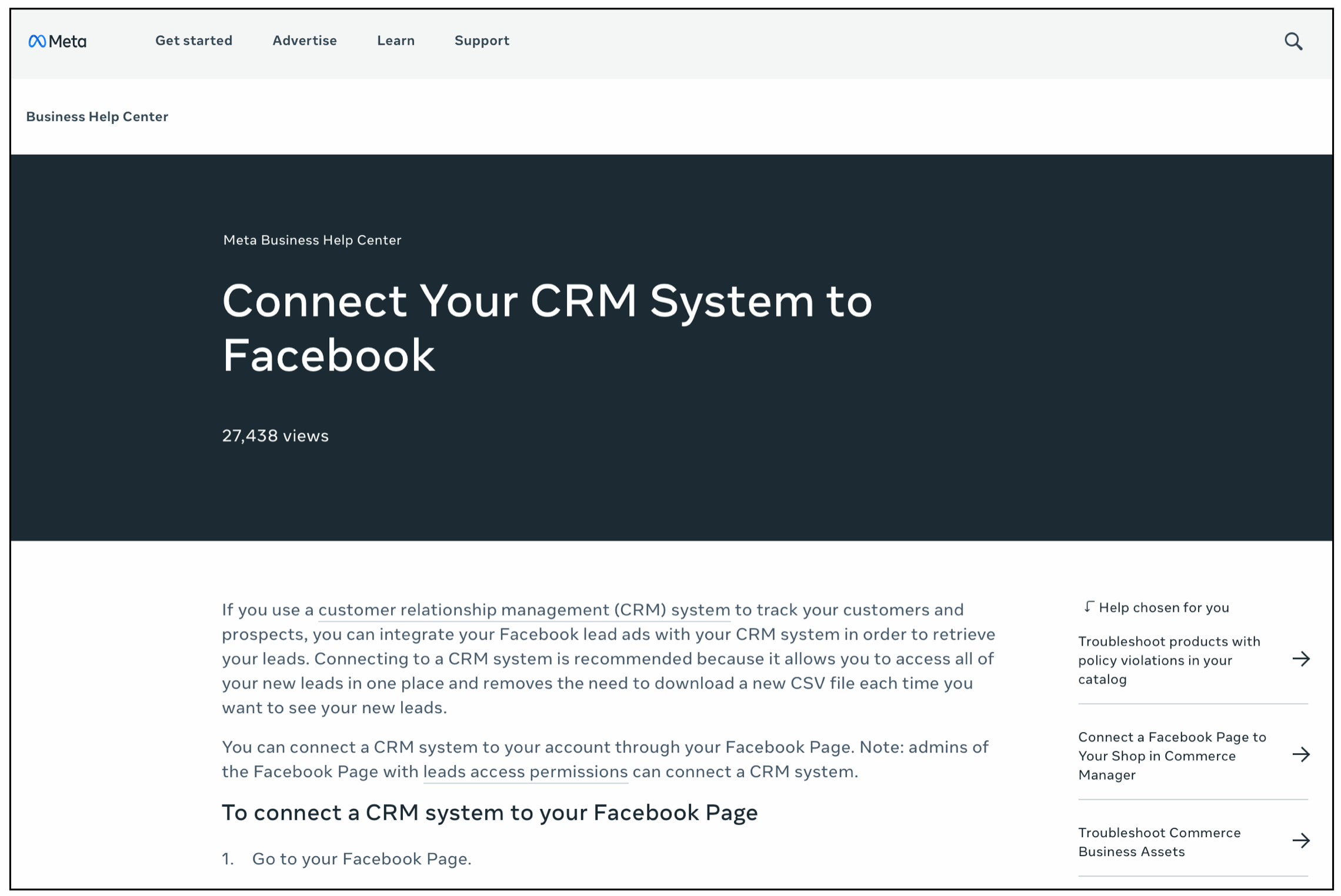
Some articles were a bit redundant because of the size of Meta's help center but since it was not in scope to deprecate some of these articles owned by other teams, I worked with partners to update them so at least they matched the new redesigned flow.
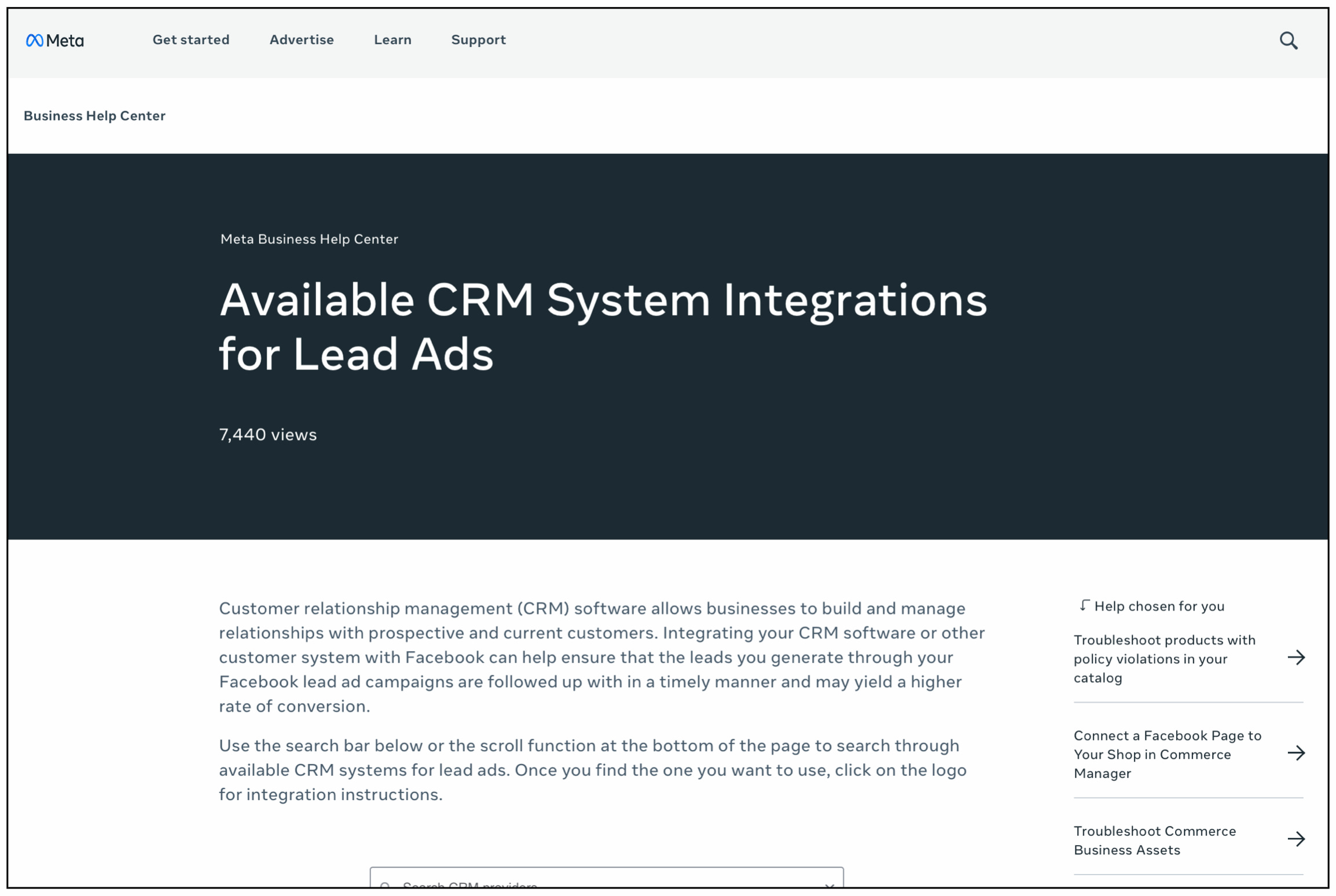
I also drove the process of updating and posting the public-facing articles in a timely manner working with the Editorial leads and review team so everything was ready for launch.
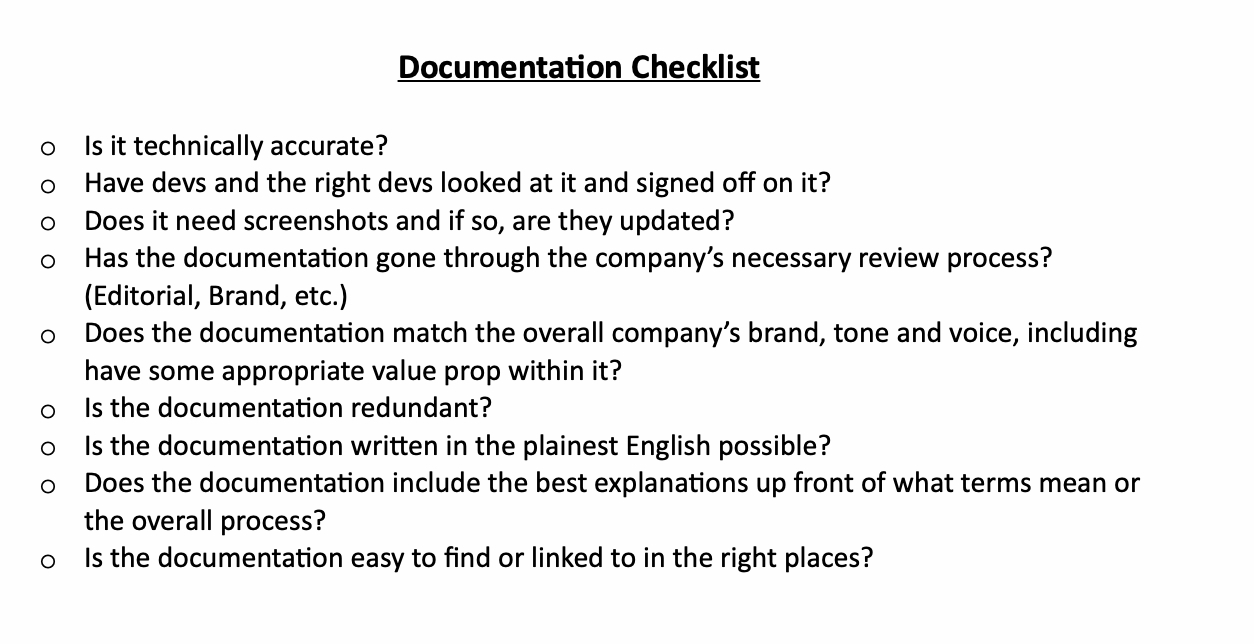
The checklist I made to make sure nothing was missed during the process and before launch.
Business results
- Increased adoption of the Conversion Leads product and integrations because of accurate, updated and plain-language documentation
- Conversion Leads optimization product hit an annual run rate of $1 billion for the first time after the redesigned flow and updated documentation
- Much stronger alignment between the product experience and how marketing and sales teams positioned and explained the product
User results
- Improved ad return on investment through clearer documentation and onboarding guidance
- Helped advertisers get more value from the new ad product
- Enabled advertisers to reach more people with ads while lowering costs
- Improved lead quality for advertisers using the platform
- Saved time for employees completing the manual CRM integration process