Building “Spark,” WebMD Health Service’s first AI chatbot
Overview
Business opportunity: Customer Support was overwhelmed with the number of tickets being opened for every little thing. Clients were unhappy because participants were having simple issues that took a long time to be addressed.
User opportunity: Participants didn’t have an easy way to get fast support for basic things on the platform. Led to frustration and low engagement. An AI bot could give them instant self-service, reducing tickets and calls, and making it easier to open a ticket as well. Spark also prioritized and routed tickets based on urgency and importance.
My role: As the Conversation Designer, I was in charge of building out the conversation flows, helping with the overall design, look and feel of the AI bot, naming it, and the testing and launch.
I collaborated with the product manager, product designer, UX manager, Director of Operational Efficiency, UX Researcher, Senior Director of Customer Service, Senior Product Marketing Manager, and more!
We started research and discovery in January 2025 and successfully launched on time in July 2025.
Discovery and research
The first thing I do when starting a new project is actually make sure there is a Slack/Ring/Teams group with the right people in it. I find that we can build things much faster and with greater efficiency if the right people get together sooner rather than later. In this case, there wasn’t chat groups. So I made a few chat groups so the right people could all be “in the same room.”
Another thing I do early on is find out what success looks like and gather the metrics and outcomes we want. These were some of the main business metrics we wanted to impact with Spark within Customer Support:
- Total interactions trending down month over month
- Call volume trending down month over month
- Increase in ratio of article views to tickets created (demonstrates ability to self-serve and obtain timely resolution without the added step of ticket escalation)
- User satisfaction regarding whether they got their task done or ended up frustrated
- Should we use the “generate variants” feature for answers or keep things more strict? (But then this feature was deprecated by Zendesk while building Spark!)
- Do we want it to summarize help articles or send them straight to the articles?
- Does “Spark - Virtual Assistant” make sense to people or does it need to be tied more directly to something like “WebMD Health Services Virtual Assistant”?
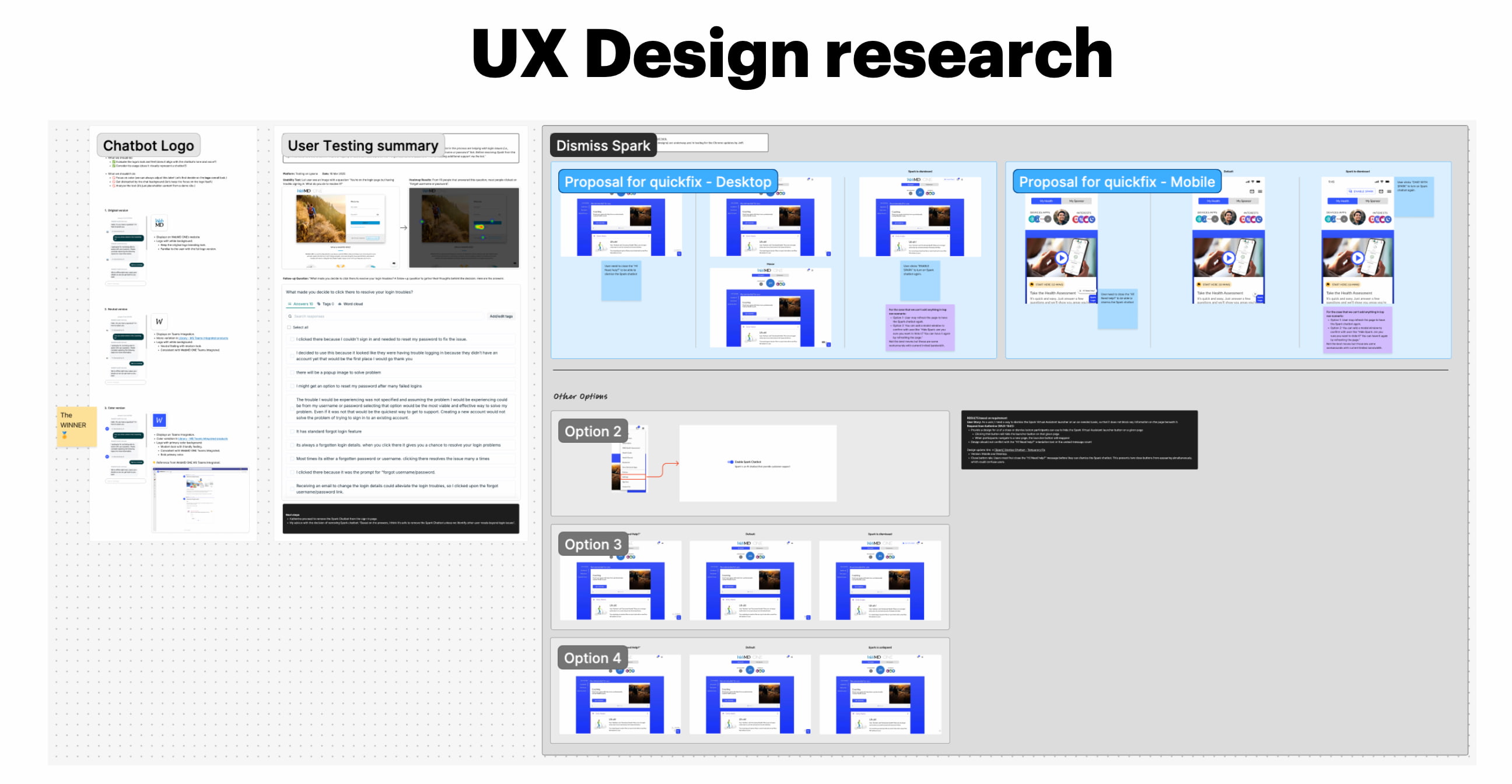
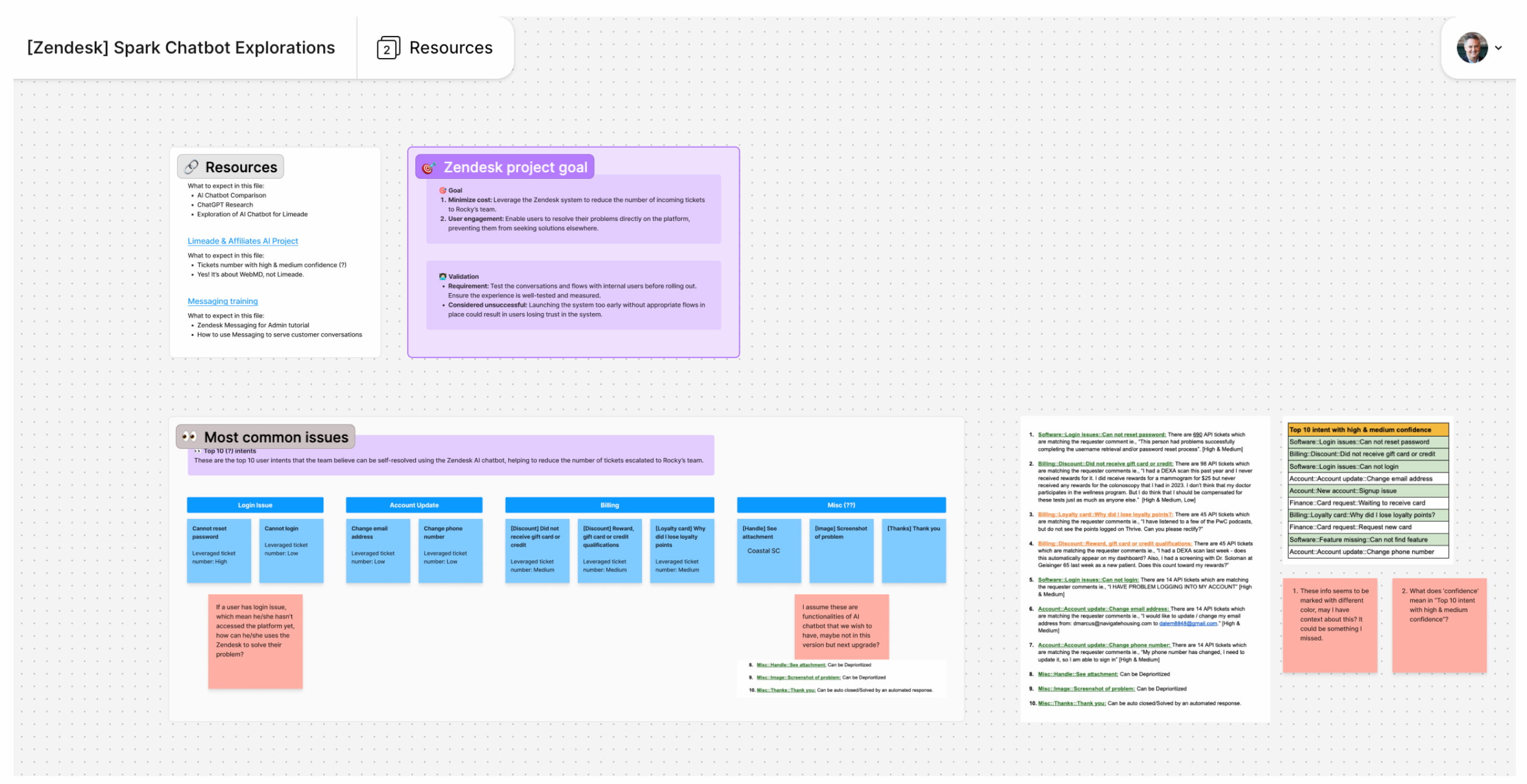
I worked with the product designer to wrap our minds around the project requirements in Figma and Figjams. Defining scope, filling in gaps that might still be missing and working together to split up the work.
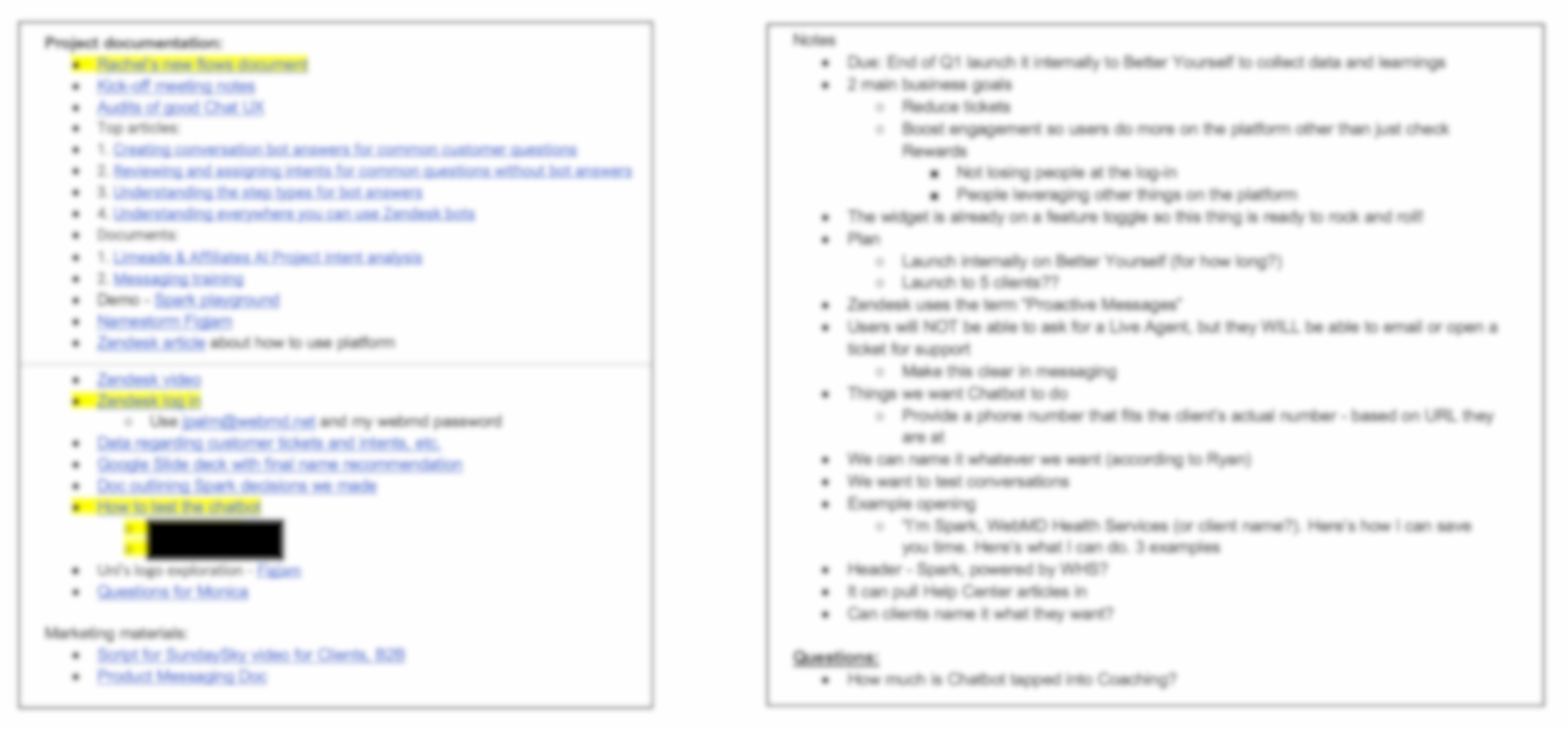
I also took up the mantle of organizing all project documentation and files, to-do’s, etc. (*Blurred for sake of privacy)
Just a few of the initial questions that came up were:
The team had a list of the top 10 intents (or issues) that most commonly led to customer support tickets being opened. This was our guiding star and we worked together to whittle these intents down into the ones that Spark could handle or ones that still needed a human agent. We also categorized them and I started building the conversation flows.
Content deliverables
These were some of the main content deliverables I was responsible for:
- Audits of good chat experiences
- Multiple conversations mapped out and written in Zendesk tool
- An approved and user validated name for the chatbot
- A tone/voice that was best for the user (friendly, as human as possible)
Challenges
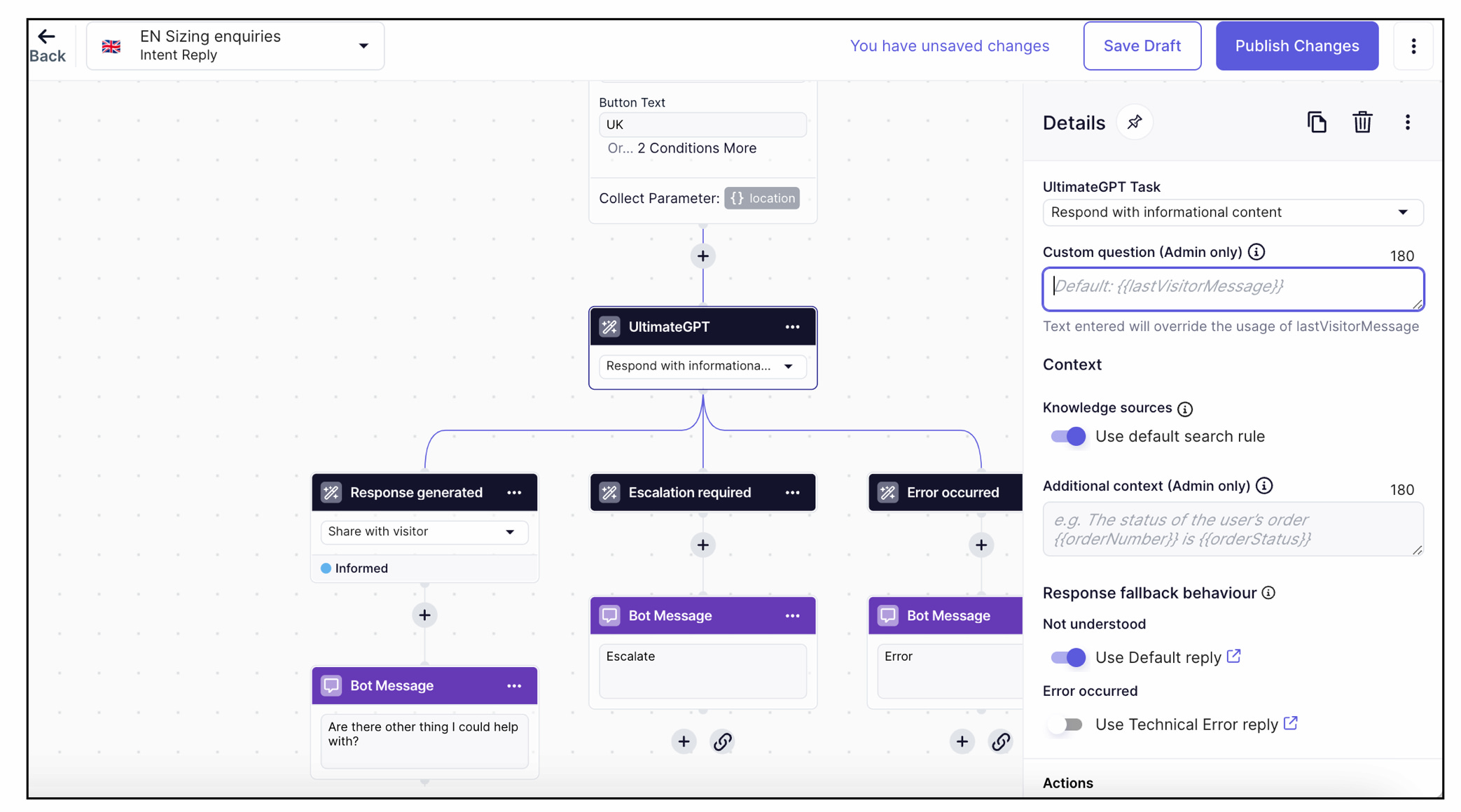
These were some of the challenges we faced:
- Even though we were using Zendesk’s AI Agent platform (example pictured above), it was a 0-1 build for WebMD Health Services
- Lack of knowledge on team of AI chatbots
- First time integrating Zendesk into WebMD
- Skepticism among clients about AI (particularly about user health data, etc.)
- No plan in place to name it
- Pretty tight build and launch schedule
- Lots of complexity since the bot was for the entire book of business (with clients having multiple different packages)
Content work
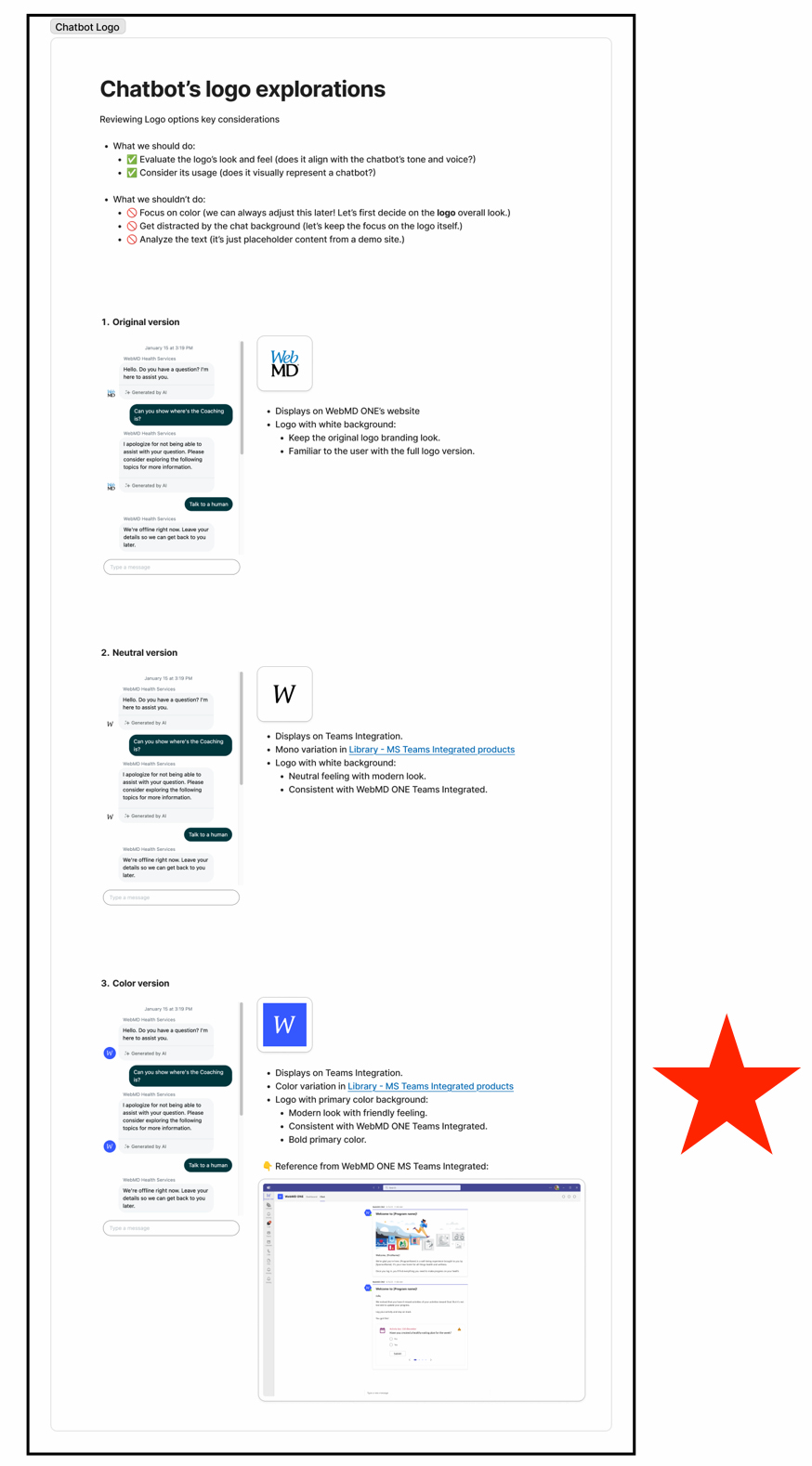
I helped decide which logo style we would use for chatbot and ultimately landed on a bold recognizable blue W for WebMD
I dug into the latest user research, which showed that users had (1) uncertainty about how AI handles personal data and (2) fears of data exposure on the Internet. This research informed the approach I took to the content and terms we used in the chatbot. One of the big decisions early on was to limit the phrase “AI” due to the sensitive nature of the healthcare space.
Here was the rationale behind not using there term “AI” in participant-facing copy
- The first version of Spark for launch is simply a virtual assistant that can connect them to help center resources and summarize articles so they can get things done faster. There is no need to hype it for participants that it is a robust AI tool, especially when it comes to user research about personal data concerns.
- Some participants will be skeptical and negative toward AI, which could hurt adoption of this new tool
- We can still use the term AI in B2B material and Spark is technically an AI Messaging Agent.
- This persona was a good middle ground that comes across to users as professional but also warm
- If we come across as too corporate, users will be turned off. On the other hand, if we are too casual, it could hurt the brand and ding the credibility where people lose trust in the bot.
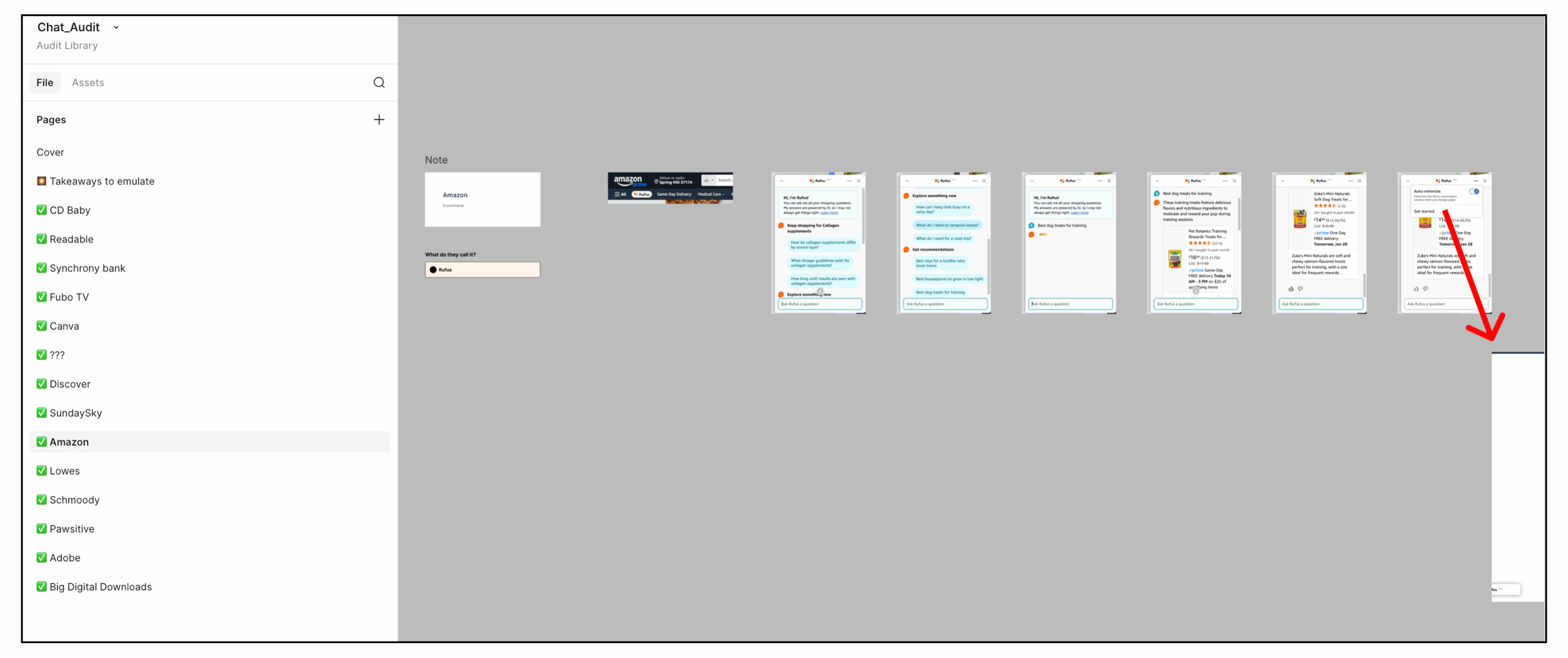
I also did an audit of chatbots across industries to get a sense of best practices and what made for a good user experience.
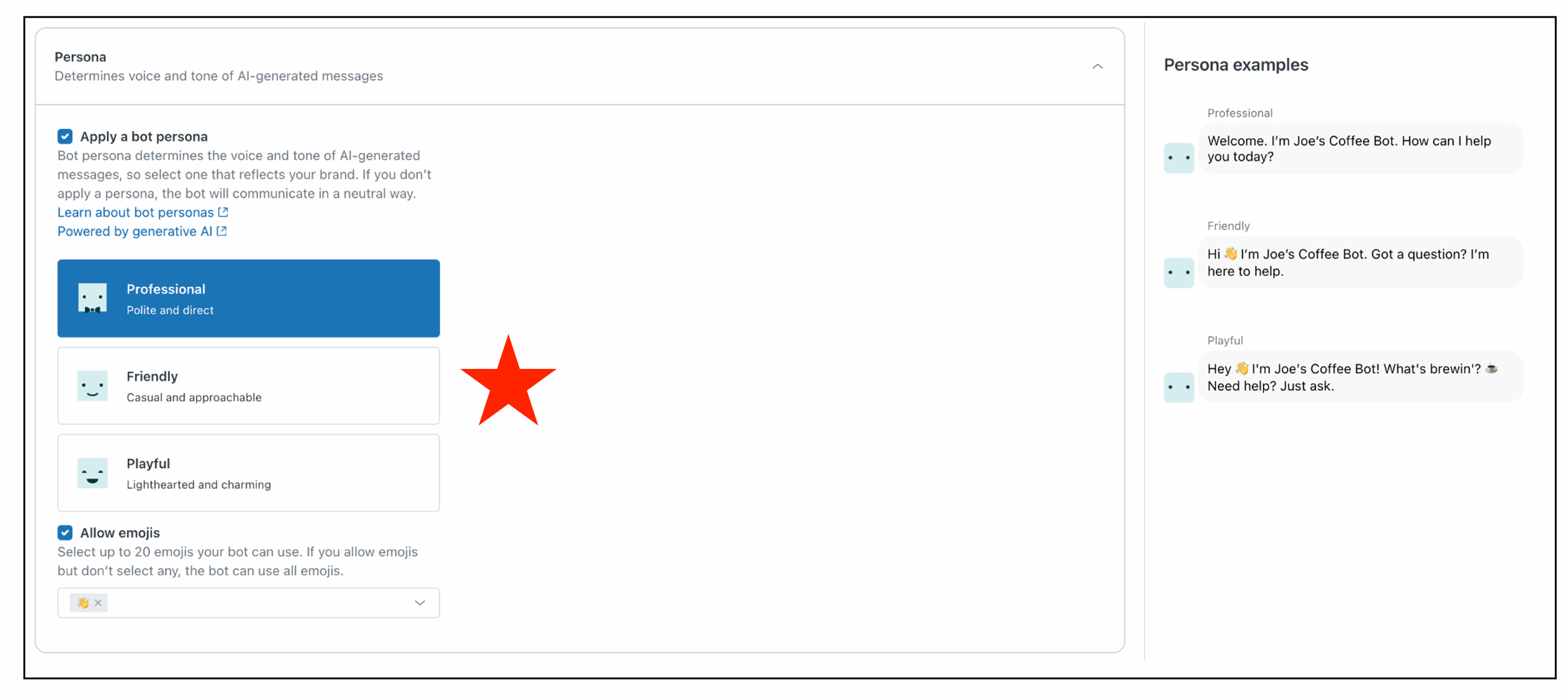
Another early decision was which tone and voice to use from Zendesk. After testing personalities, I landed on “friendly.” The rationale was…
I also decided to turn emojis on in Spark since emojis are popular, widely used and friendly.
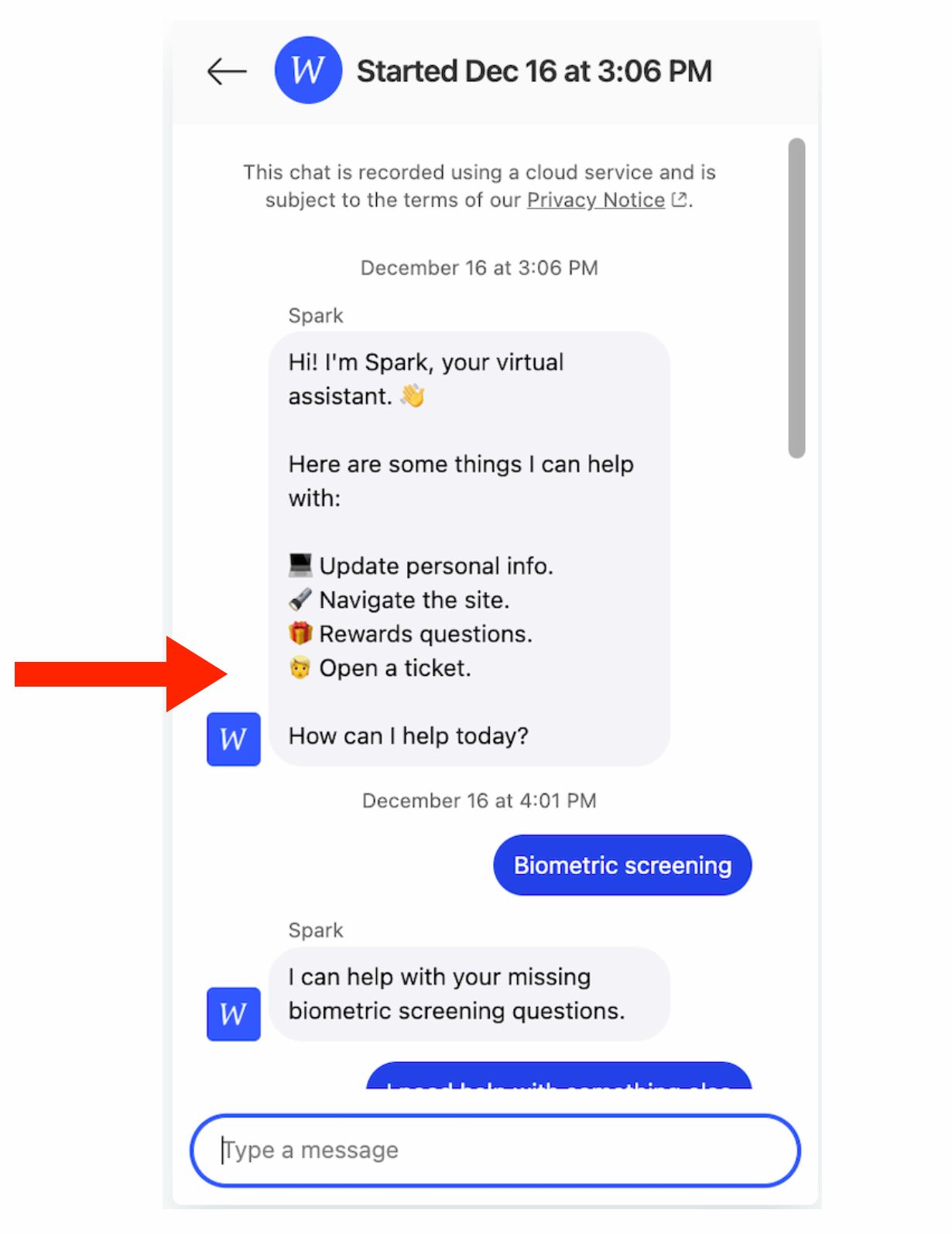
A big part of our focus was making it easy but not too easy for users to open a ticket. I called this the “goldilocks zone.”
If we make it too hard, and also don’t make it clear that they can use the chatbot to open a ticket, it’s not a great user experience and is also not very transparent. Participants get frustrated when companies hide helpful features for the sake of their business goals.
If we make it too easy, it defeats the main purpose of the chatbot, to cut down on customer support tickets.
After a lot of thought, research and testing, we landed on a solution that always made it clear up front that they could open a ticket and get help through the traditional channel. But I also designed the conversations to still default to trying to help them with suggestions and answers before opening a ticket.
Naming process
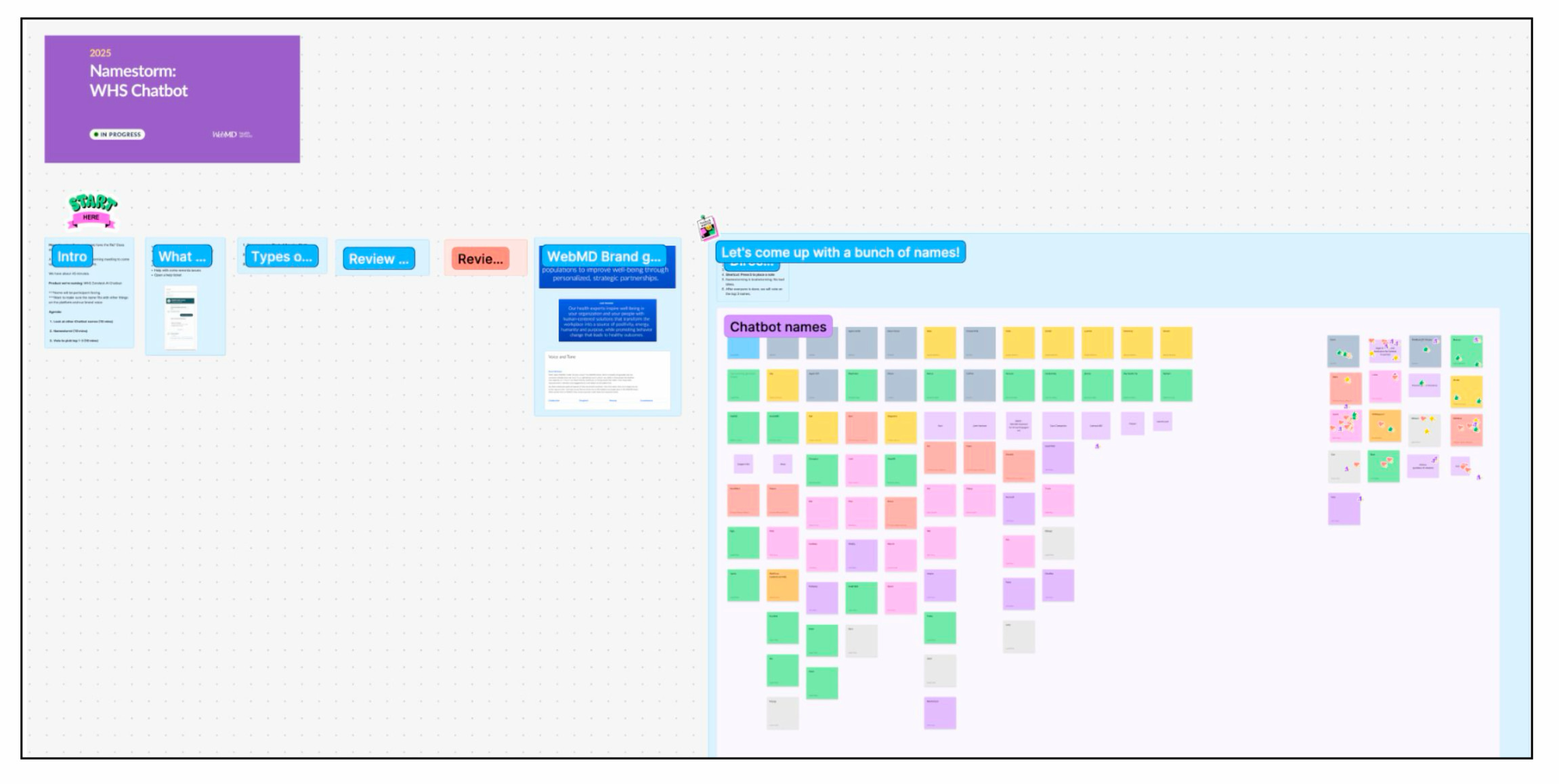
Another gap I filled on the team was coming up with a name for the new AI chatbot. Coming up with a fun and memorable name for a product or feature is a great way to increase usage and engagement. Yet it’s something I often find is overlooked at companies I work with.
Naming Spark could be an entire case study by itself, but here are a few highlights of what I did.
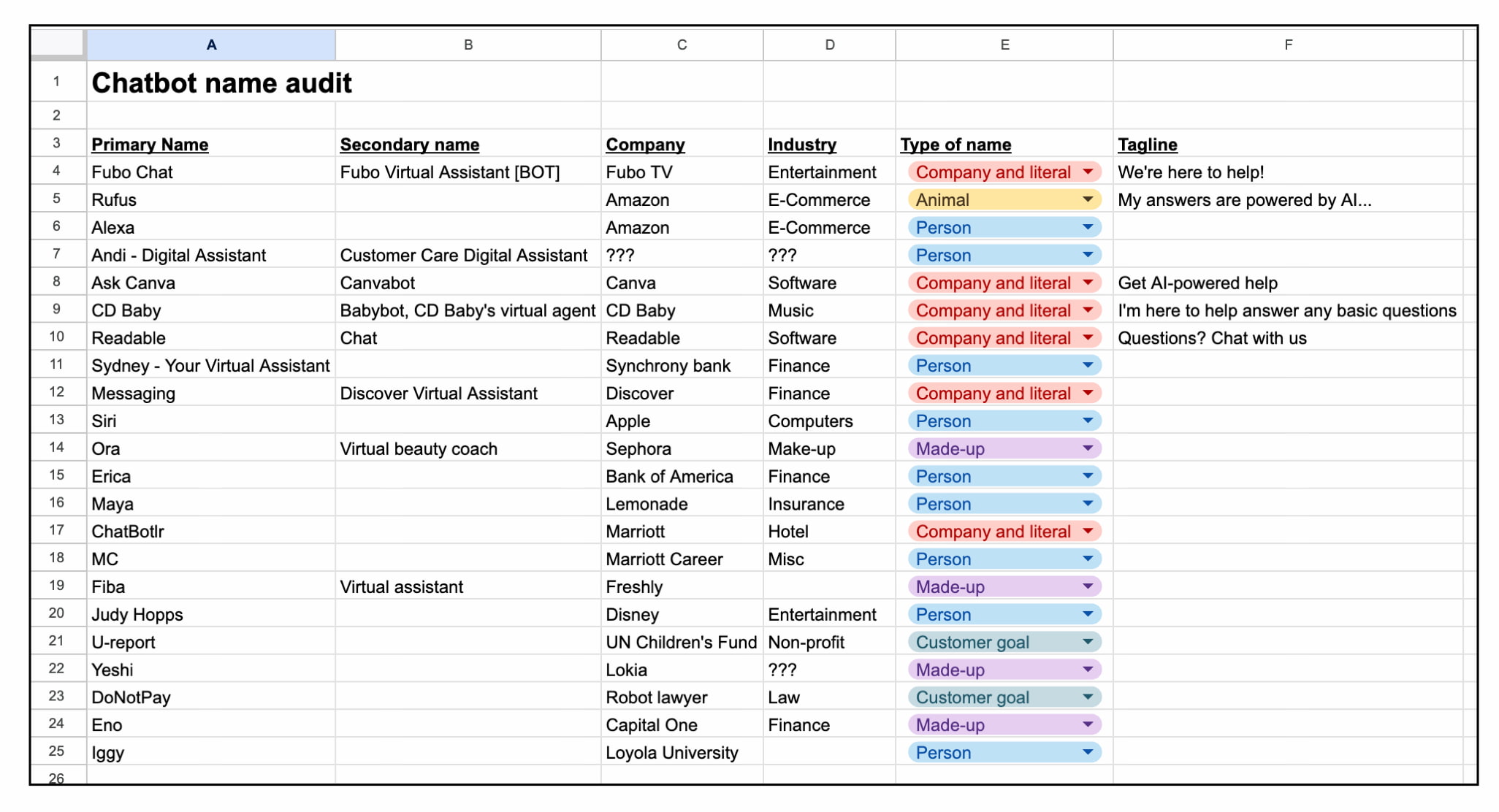
I did an audit of chatbot names across industries. I also ran a couple namestorms, user tested top names and socialized the final name across stakeholders before getting final approval on my recommendation.
Testing and launch
There were some pretty big hurdles that came up right before launch.
1) A few weeks before launch, a new product manager came in due to restructuring. I brought him up to speed, pending issues, and where we were on track or off track.
2) We learned that a large number of clients were not going to turn Spark on when we launched. They were concerned about the AI risks. So I worked on an FAQs document to explain more clearly to skeptical clients what Spark was actually doing and how it did not have access to personal data, etc.
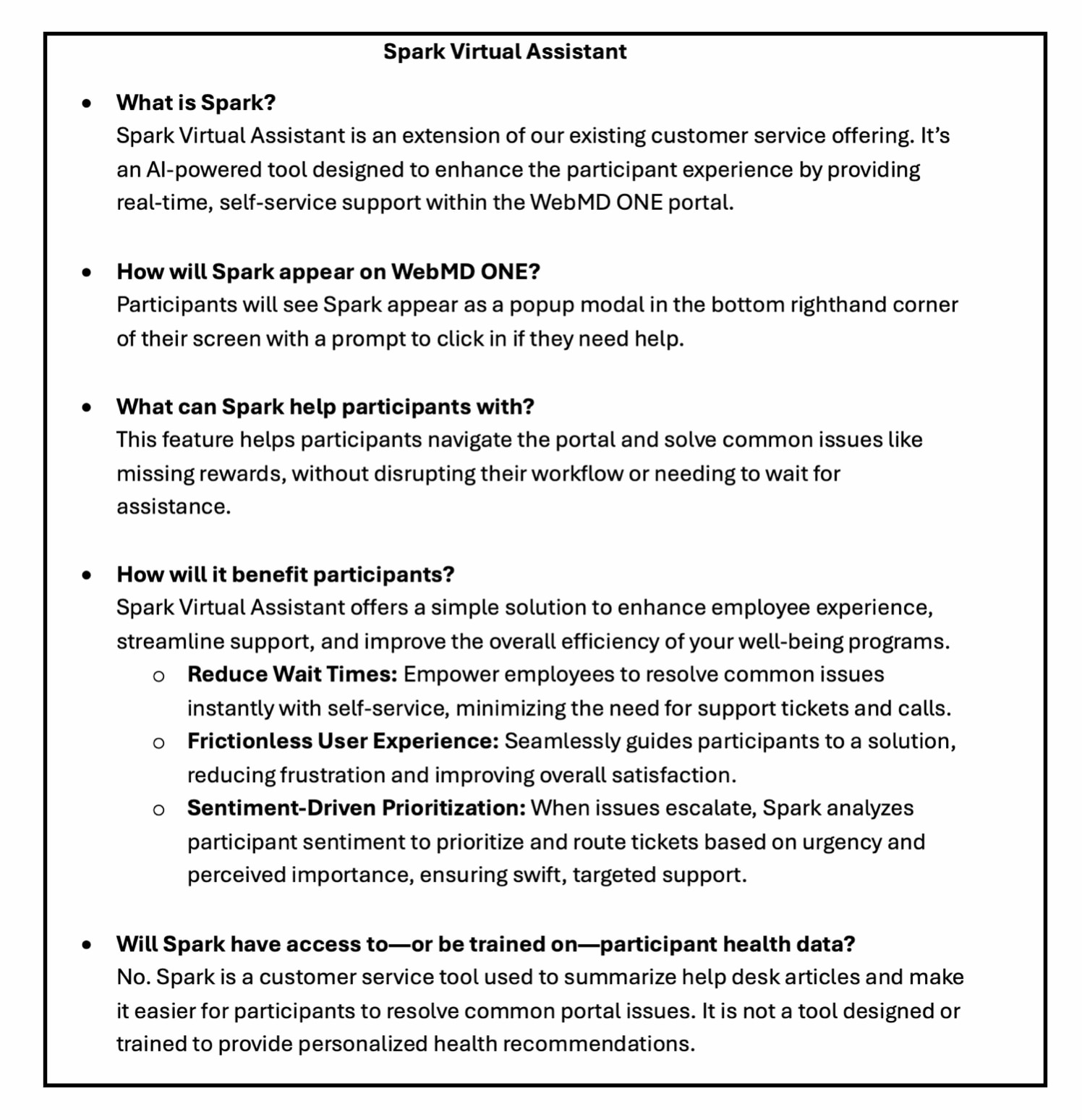
Once clients understood what Spark was in plain language FAQs, all but one of them was on board for the launch.
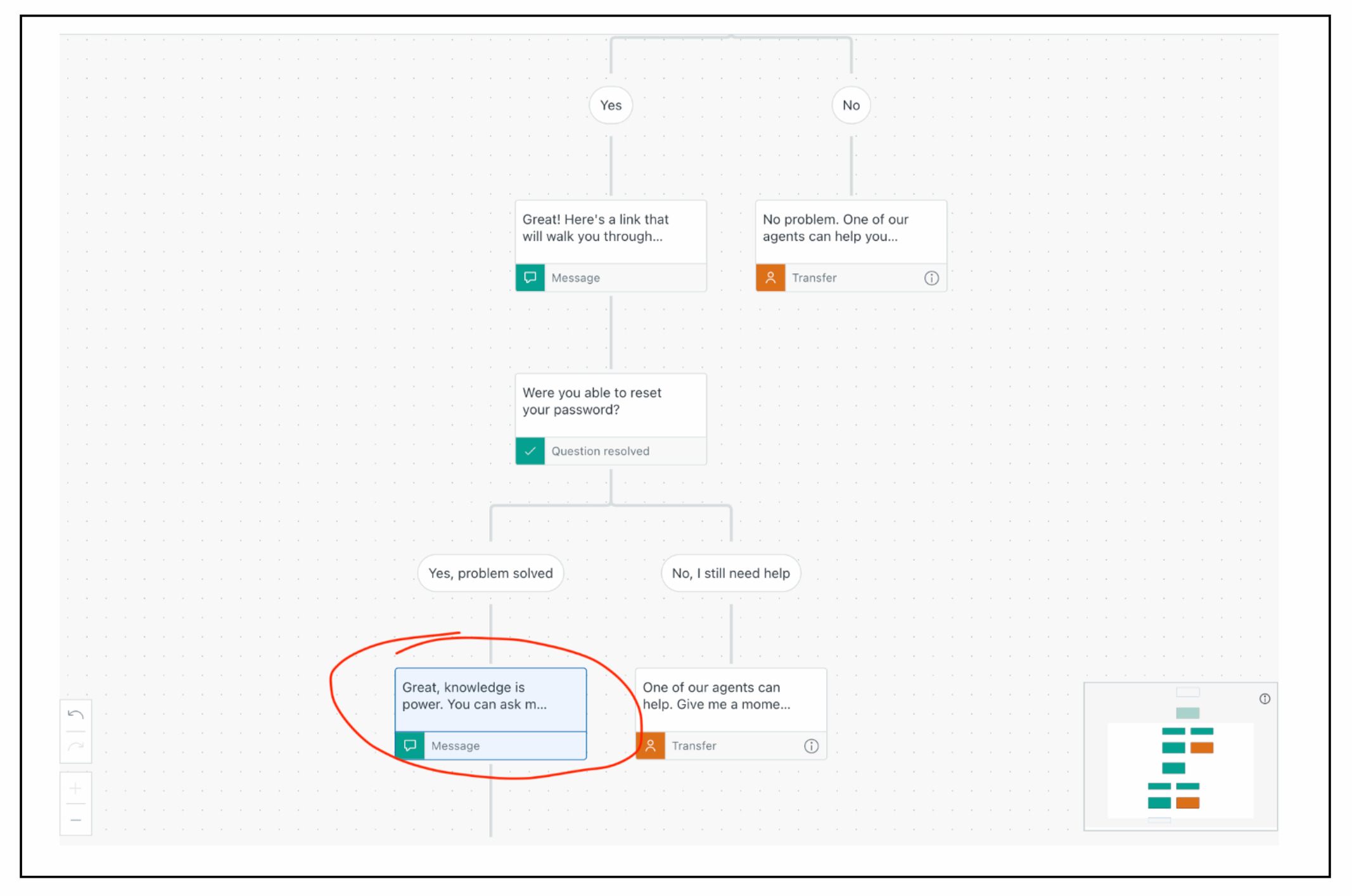
One thing that came up in testing was dealing with the “whack-a-mole” nature of AI where it kept adding stuff to conversation flows that I didn’t want in there. It kept adding the phrase “knowledge is power,” which is cheesy and has too much "reading rainbow" vibes. I hardcoded some of Spark’s responses to work around this issue.
I also created a giant testing spreadsheet in Google and helped find people in the company who could test Spark before launch to work out any bugs.
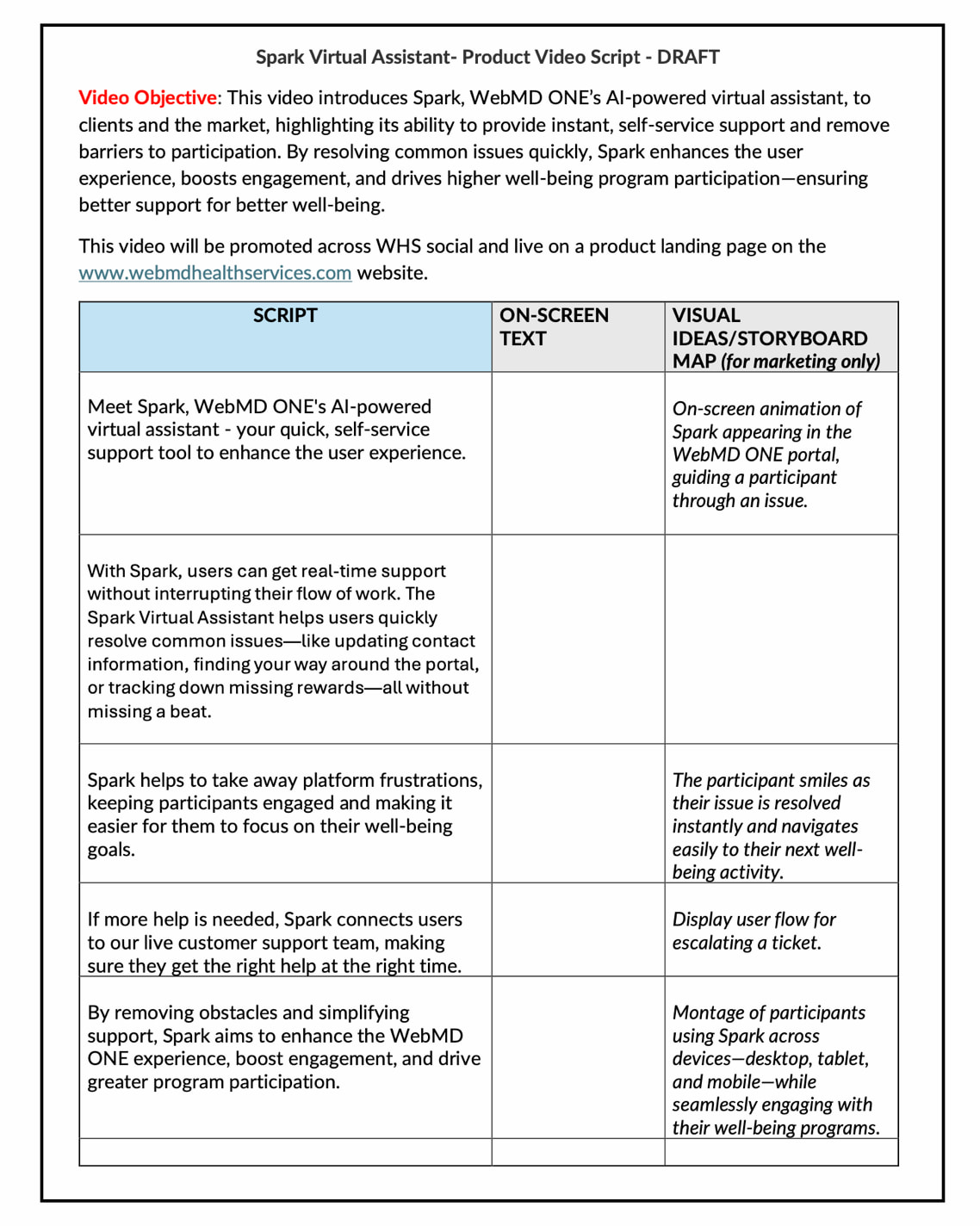
I also worked with a Marketing partner to help make a Spark launch video.
Results
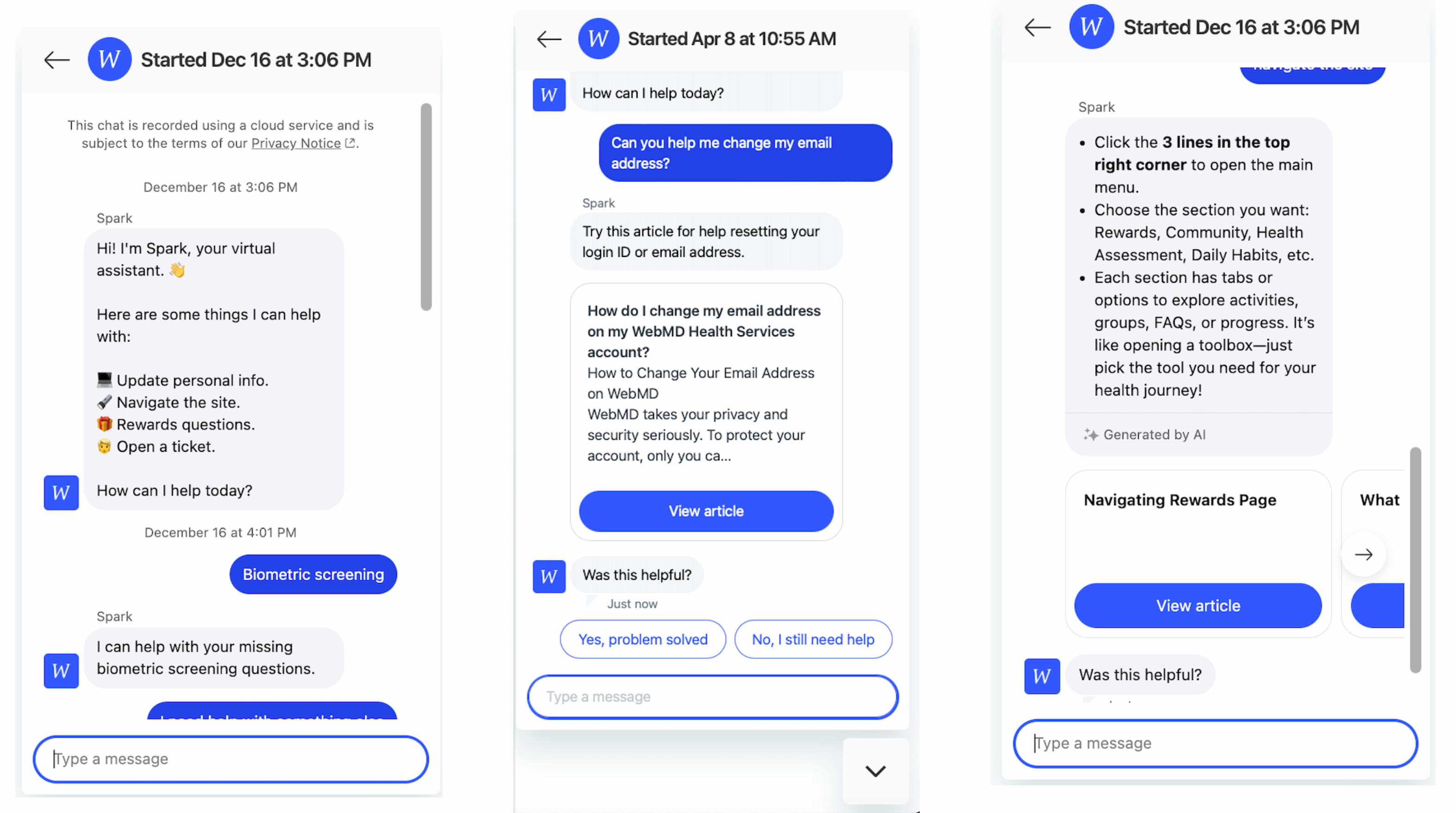
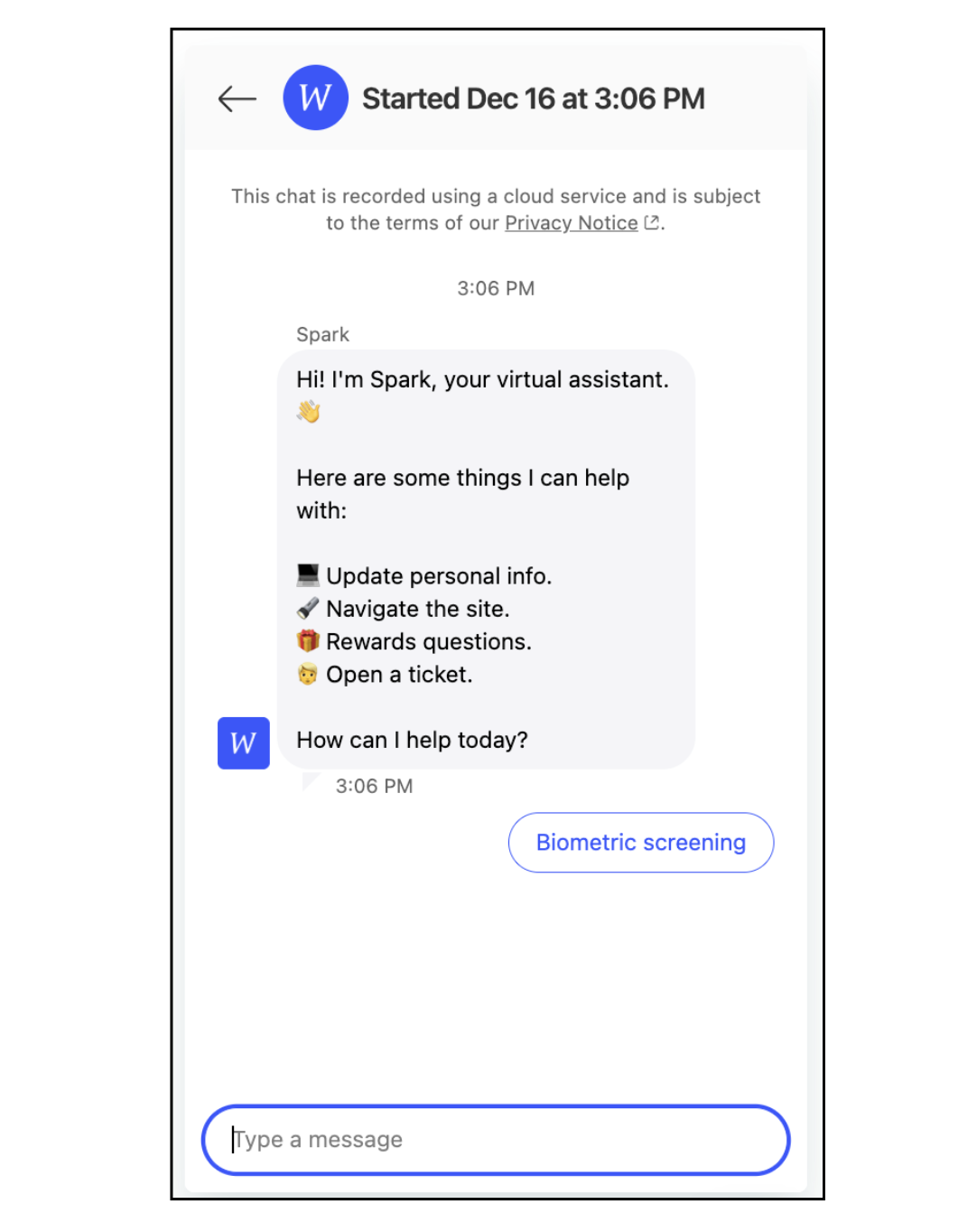
These are some examples of the final experience.
So much more could be said about the conversation flows themselves and all the other work that went into building and naming Spark. But we ended up launching on time and the company's first AI chatbot was a huge success for the business and users.
- 82% containment rate
- Saw a year-over-year reduction in call volume of more than 30%
- Reduction in total outreach to customer support of more than 44% (phone calls + contact us forms + Zendesk tickets)
- Participants no longer spending their time reaching out for help that can take a few days to solve. Able to self-serve immediately
- Big picture, customer support was now able to serve a much larger number of participants across book of business without having to hire more staff